





Install PeppolKit in Drupal Commerce
This is how you install the PeppolKit module in Drupal Commerce and connect your shop. After that every paid order gets an invoice and every refund in Commerce becomes a PeppolKit credit note.
What you need
- Drupal 10.3 or 11 with Drupal Commerce 2.40 or 3 (the Order and Payment modules) and PHP 8.1 or newer. Tested with Drupal 11 and Commerce 3.
- Access to your site's files to place the module, and a working cron: what cannot be sent at once goes with the next cron run.
- A company established in the Netherlands or Belgium, with your VAT number and your company registration number.
The screenshots come from an English admin. If yours is in Dutch or French, PeppolKit's texts are translated.
Install
- Download the zip at peppolkit.com/downloads/peppolkit-drupal.zip. The module is not on drupal.org yet.
- Unpack it in the modules/custom folder of your Drupal installation. You get the folder modules/custom/peppolkit.
- Enable the module under Extend: search for peppolkit, tick PeppolKit and click Install at the bottom. Or with drush: drush en peppolkit.
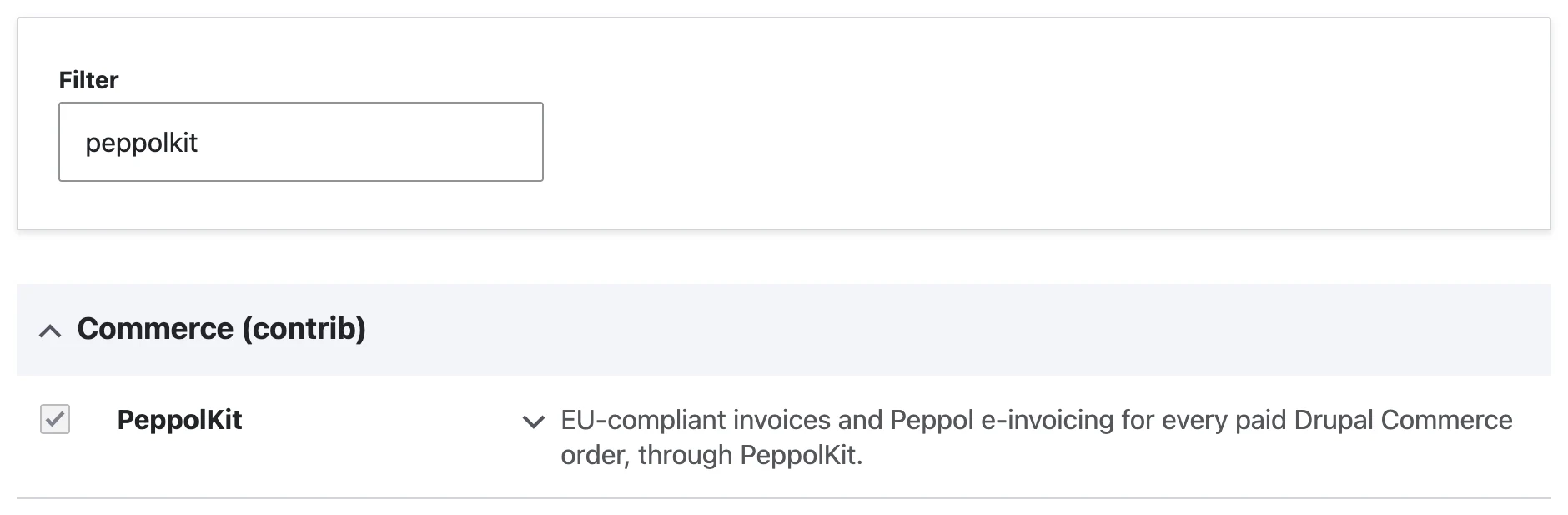
The PeppolKit module on the Extend page.
Connect
- Connect your shop. Go to Commerce → Configuration → PeppolKit. Check your email address, agree to the terms and click Connect to PeppolKit. The account is free up to 20 invoices a month and asks for no payment details.
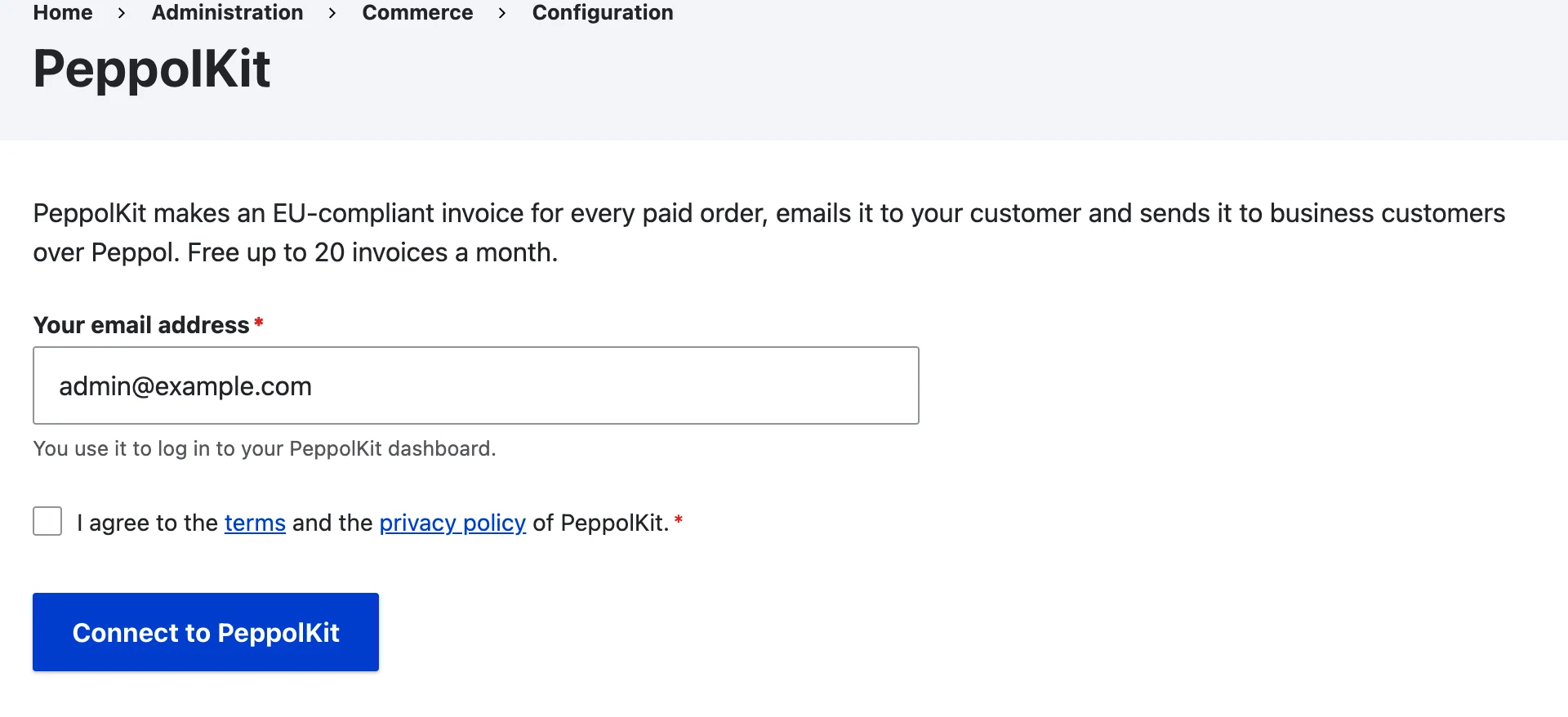
Connecting takes only your email address. - Fill in your company details. Click Open the PeppolKit dashboard. The dashboard opens in a new tab and you are signed in at once. Under Settings, fill in your company name, address, VAT number and company registration number and save. As long as those are missing, PeppolKit makes no invoices.
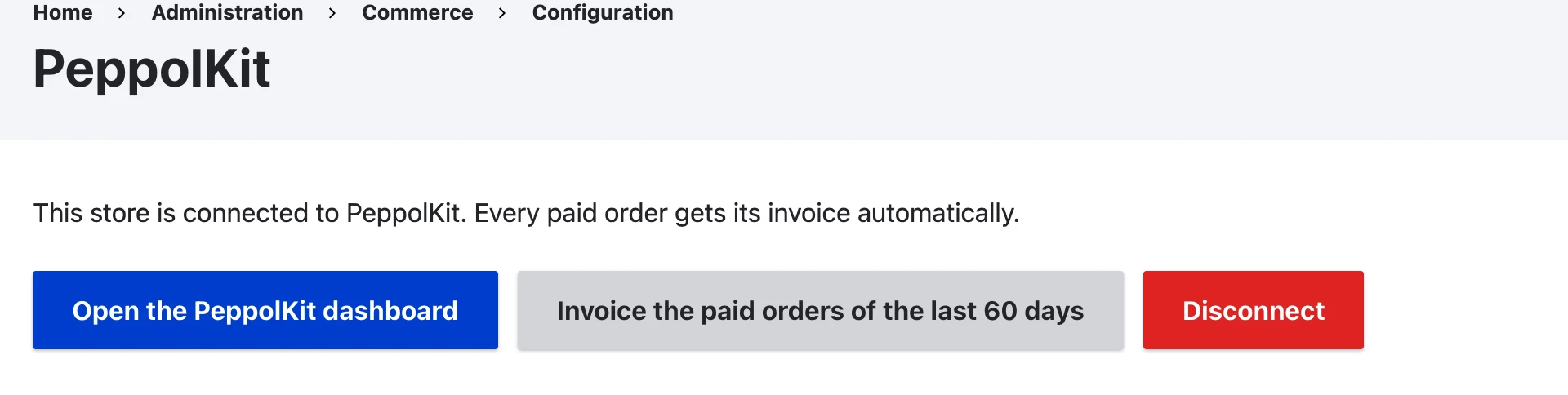
After connecting: open the dashboard, invoice earlier orders or disconnect.
When is an invoice or credit note made?
- Invoice: as soon as an order is paid in full. PeppolKit's invoice follows right after.
- Amounts: the invoice shows the order as Commerce calculated it: the lines, discounts, shipping and VAT. That works with prices including and excluding VAT.
- Credit note: as soon as you refund a payment, in full or in part, in Commerce. The credit note refers to the original invoice and reaches your customer the same way.
VAT numbers of business customers
Commerce Tax has a VAT number field on the customer profile, but only shows it in the checkout once you switch it on: Configuration → People → Profile types → Customer → Manage form display. PeppolKit reads the field, checks the number with VIES and applies reverse charge on the invoice for a valid number from another EU country.
Activate Peppol
In the dashboard, Settings → Peppol says how your shop sends. Belgian shop? Confirm your company's identity there once, in about 5 minutes; Peppol is then included in every plan. Dutch shop? Connect your own free Peppyrus account, see Create a Peppyrus account.
Earlier orders and your first test
The button Invoice the paid orders of the last 60 days makes invoices for orders that were paid before you connected. An order never gets two invoices. Want to test first? Place a test order, mark it as paid and look in the dashboard under Invoices: the invoice is there as a PDF and as a UBL file.
Frequently asked questions
No invoice arrives. What now?
First check that the order is paid in full in Commerce and that your company details are saved in the dashboard. If the module could not reach PeppolKit, it tries again with the next cron run. More causes are in Fix an invoice problem.
Where does the module keep the key of the connection?
In Drupal's state, not in configuration. So the key never ends up in a configuration export or in your repository.
How do I remove the module?
Click Disconnect on the PeppolKit page, or uninstall the module under Extend → Uninstall: that disconnects your shop as well. Your invoices stay in your PeppolKit dashboard for 30 days.
PeppolKit by platform: Shopify, WooCommerce, PrestaShop, Magento, Drupal Commerce, OpenCart, Shopware, Joomla, bol.com, Lightspeed, CCV Shop, Wix and Stripe. See how it works for your webshop.
Leave Peppol to PeppolKit.
Install PeppolKit and your business customers get their invoice over Peppol, without you having to deal with the network.
Choose your platform Start free with 20 invoices a month.An explanation for orientation, not tax advice.