





Install PeppolKit in OpenCart
This is how you install the PeppolKit extension in OpenCart 4 or 3 and connect your shop. After that every order gets an invoice as soon as it reaches a paid status, and a credit note when you set it to Refunded.
What you need
- OpenCart 4 or OpenCart 3. Tested with 4.1.0.4, 4.0.2.3 and 3.0.5.1.
- An administrator who may install extensions.
- A company established in the Netherlands or Belgium, with your VAT number and your company registration number.
The screenshots come from an English admin. If yours is in Dutch or French, PeppolKit's texts are translated.
Install
- Download the zip for OpenCart 4 or OpenCart 3. Leave the file name peppolkit.ocmod.zip as it is: OpenCart refuses another name.
- Upload it under Extensions → Installer with the blue upload button. In OpenCart 4, PeppolKit then appears in the list: click the green Install button there. In OpenCart 3 the extension is in place right after the upload.
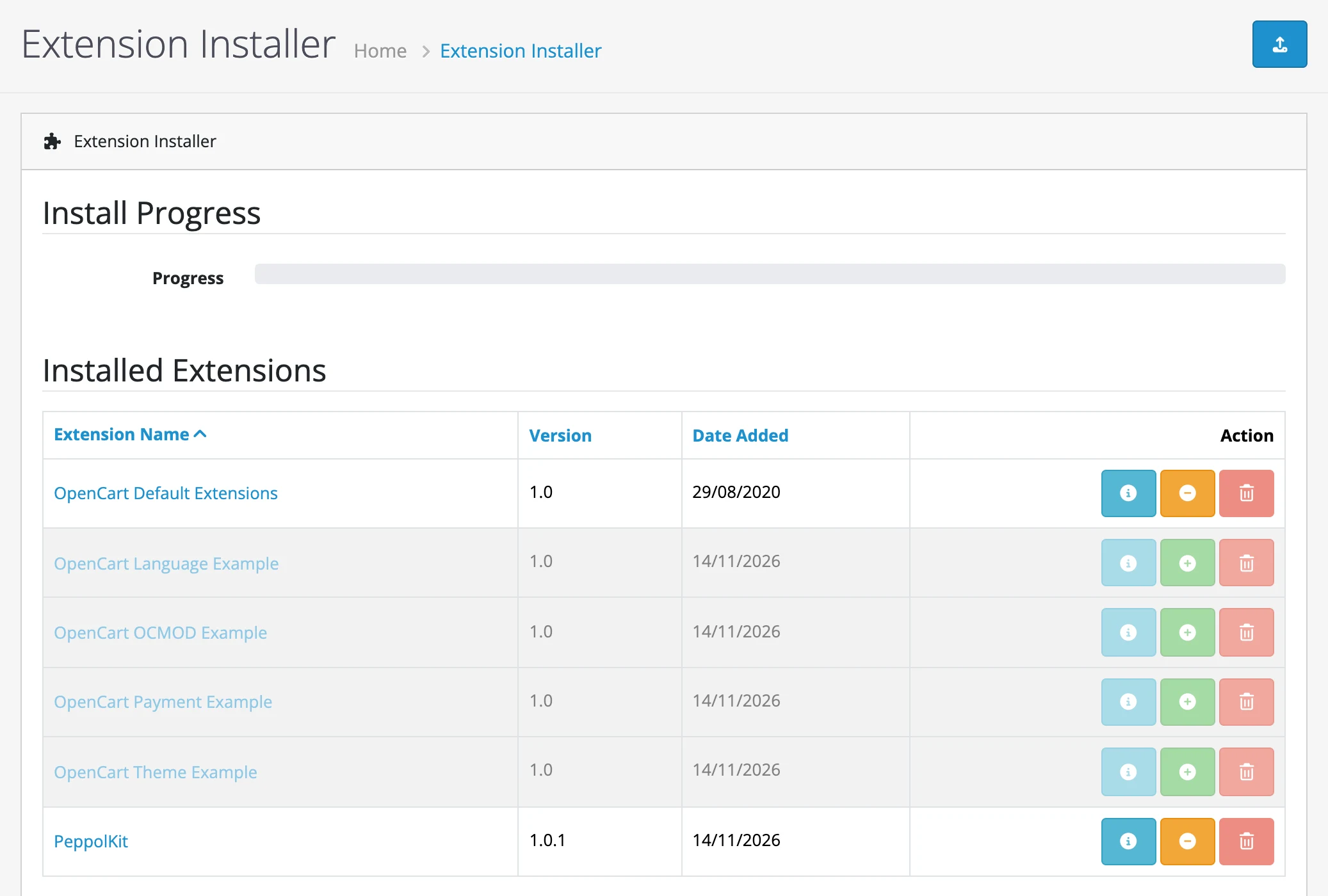
The Extension Installer of OpenCart 4, with PeppolKit at the bottom of the list. - Install the module. Go to Extensions → Extensions, choose the type Modules at the top and click the green Install button next to PeppolKit. Then click the blue pencil to open the module.

PeppolKit in the list of modules: the pencil opens the settings.
Connect
- Connect your shop. Check your email address, agree to the terms and click Connect to PeppolKit. The account is free up to 20 invoices a month and asks for no payment details.
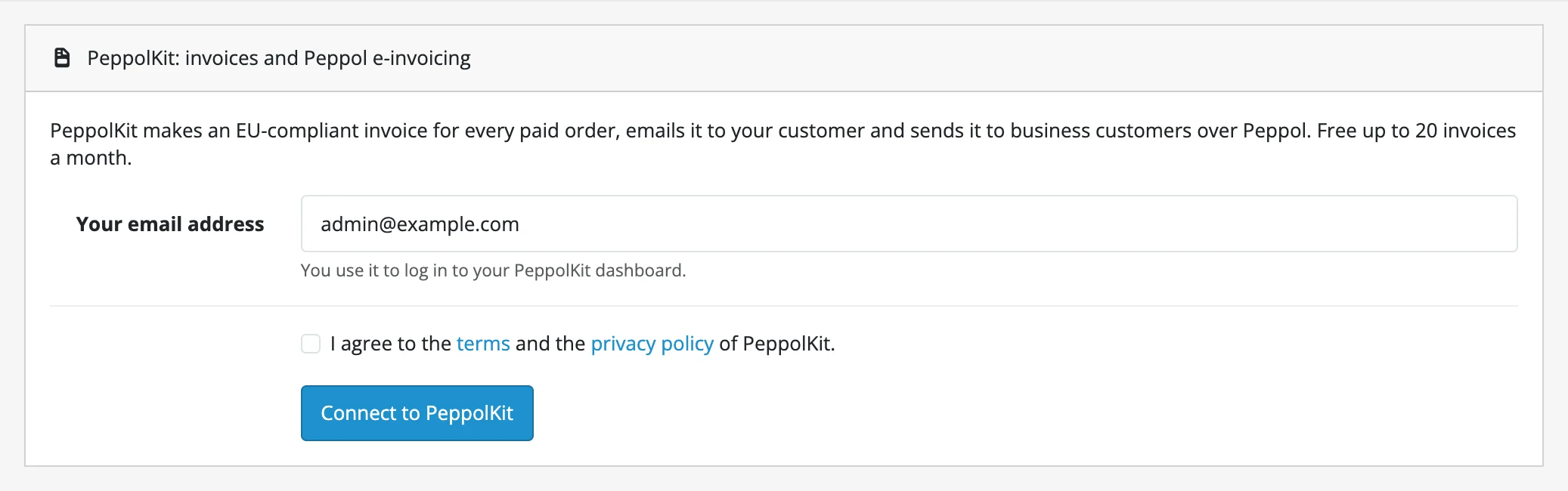
Connecting takes only your email address. - Fill in your company details. Click Open the PeppolKit dashboard. The dashboard opens in a new tab and you are signed in at once. Under Settings, fill in your company name, address, VAT number and company registration number and save. As long as those are missing, PeppolKit makes no invoices.
Set up
After connecting, you choose on the same page at which statuses PeppolKit acts. Save with the blue button at the top right.
- Invoice at status: an order gets its invoice the first time it reaches one of these statuses. By default: Processing, Shipped, Complete and Processed.
- Credit note at status: an invoiced order that reaches one of these statuses gets a credit note. By default: Refunded, Reversed and Chargeback.
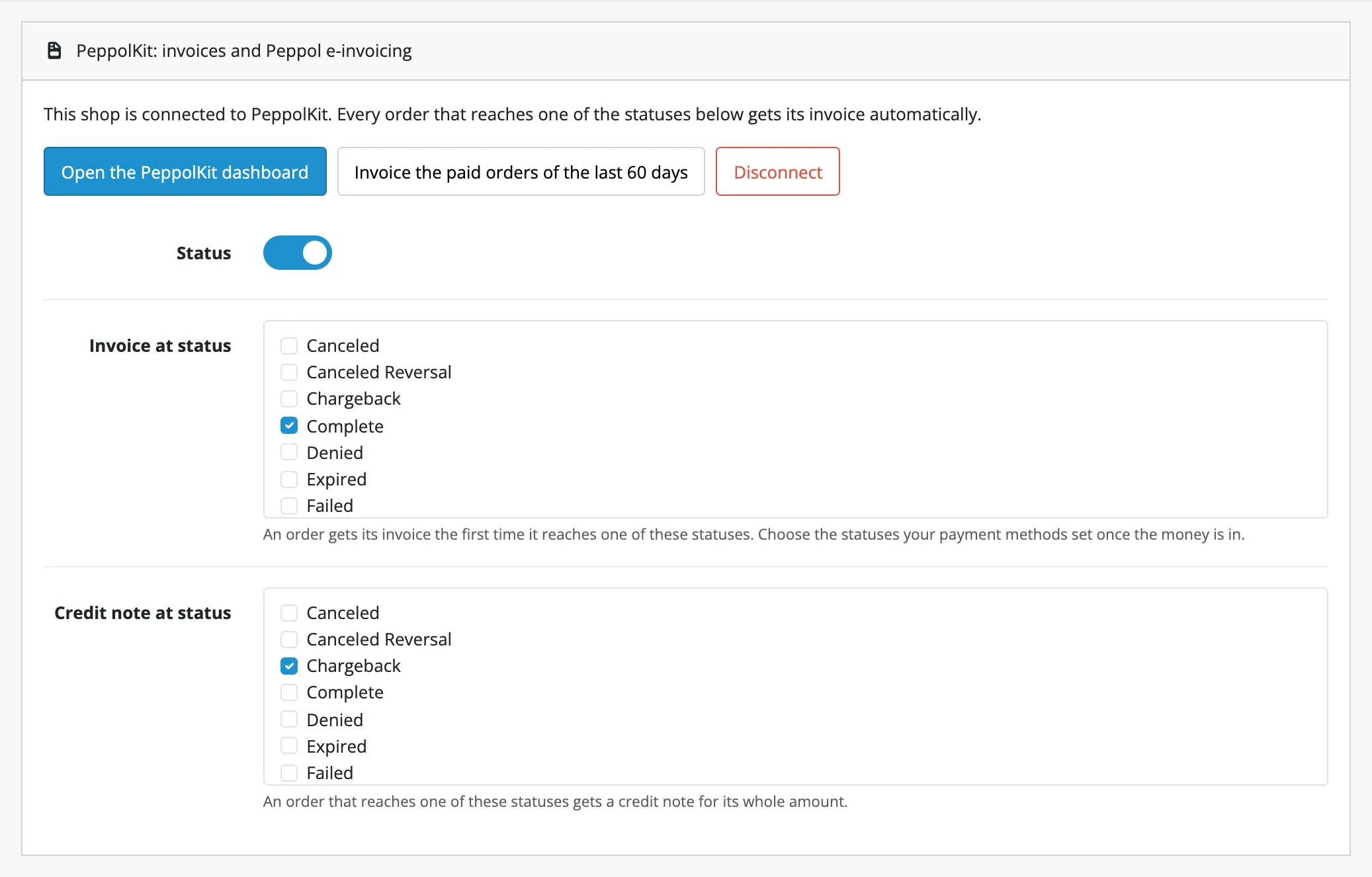
When is an invoice or credit note made?
- Invoice: the first time an order reaches one of the chosen statuses, also when you set the status yourself in the admin. With bank transfer or cash on delivery an order is first Pending: the invoice follows as soon as the status changes.
- Amounts: the invoice shows the products, discounts, shipping and VAT of the order, in the currency your customer ordered in.
- Credit note: OpenCart has no partial refunds. When you set an order to a status such as Refunded, PeppolKit makes a credit note for the whole amount.
VAT numbers of business customers
OpenCart has no VAT number field of its own. Create one under Customers → Custom Fields: type Text, location Address, with VAT number in its name (Btw or TVA works too). PeppolKit reads that field, checks the number with VIES and applies reverse charge on the invoice for a valid number from another EU country.
Activate Peppol
In the dashboard, Settings → Peppol says how your shop sends. Belgian shop? Confirm your company's identity there once, in about 5 minutes; Peppol is then included in every plan. Dutch shop? Connect your own free Peppyrus account, see Create a Peppyrus account.
Earlier orders and your first test
The button Invoice the paid orders of the last 60 days makes invoices for orders that were paid before you connected. An order never gets two invoices. Want to test first? Place a test order, mark it as paid and look in the dashboard under Invoices: the invoice is there as a PDF and as a UBL file.
Frequently asked questions
No invoice arrives. What now?
Check that the order's status is one you ticked under Invoice at status, that the module's Status switch is on and that your company details are saved in the dashboard. More causes are in Fix an invoice problem.
How do I update the extension in OpenCart 4?
OpenCart 4 refuses the zip of an extension that is already there. Go to Extensions → Installer, click Uninstall and then Delete next to PeppolKit, upload the new zip and install it. Your settings and the connection stay.
How do I remove the extension?
Click Disconnect in the module, or click Uninstall next to PeppolKit under Extensions → Extensions → Modules: that disconnects your shop as well. Your invoices stay in your PeppolKit dashboard for 30 days.
PeppolKit by platform: Shopify, WooCommerce, PrestaShop, Magento, Drupal Commerce, OpenCart, Shopware, Joomla, bol.com, Lightspeed, CCV Shop, Wix and Stripe. See how it works for your webshop.
Leave Peppol to PeppolKit.
Install PeppolKit and your business customers get their invoice over Peppol, without you having to deal with the network.
Choose your platform Start free with 20 invoices a month.An explanation for orientation, not tax advice.