





Install PeppolKit in Shopware 6
This is how you install the PeppolKit app in Shopware 6. As soon as the app is switched on, your shop is connected: every order gets an invoice when its payment is set to Paid.
What you need
- Shopware 6. Tested with Shopware 6.7 (6.7.16) on a server of its own; Shopware Cloud has not been tested.
- A shop that can be reached from the internet. PeppolKit is an app, not a plugin: no code runs in your shop, and PeppolKit fetches the order from your shop itself.
- An administrator who may install extensions.
- A company established in the Netherlands or Belgium, with your VAT number and your company registration number.
The screenshots come from an English admin. If yours is in Dutch or French, PeppolKit's texts are translated.
Install
- Download the zip at peppolkit.com/downloads/shopware/PeppolKit.zip. The app is not in the Shopware Store yet.
- Upload it under Extensions → My extensions with the Upload extension button.
- Install and switch on. Click Install next to PeppolKit and then Accept and install: the app only asks for read access, to orders and the data that belongs to them. Then switch PeppolKit on.
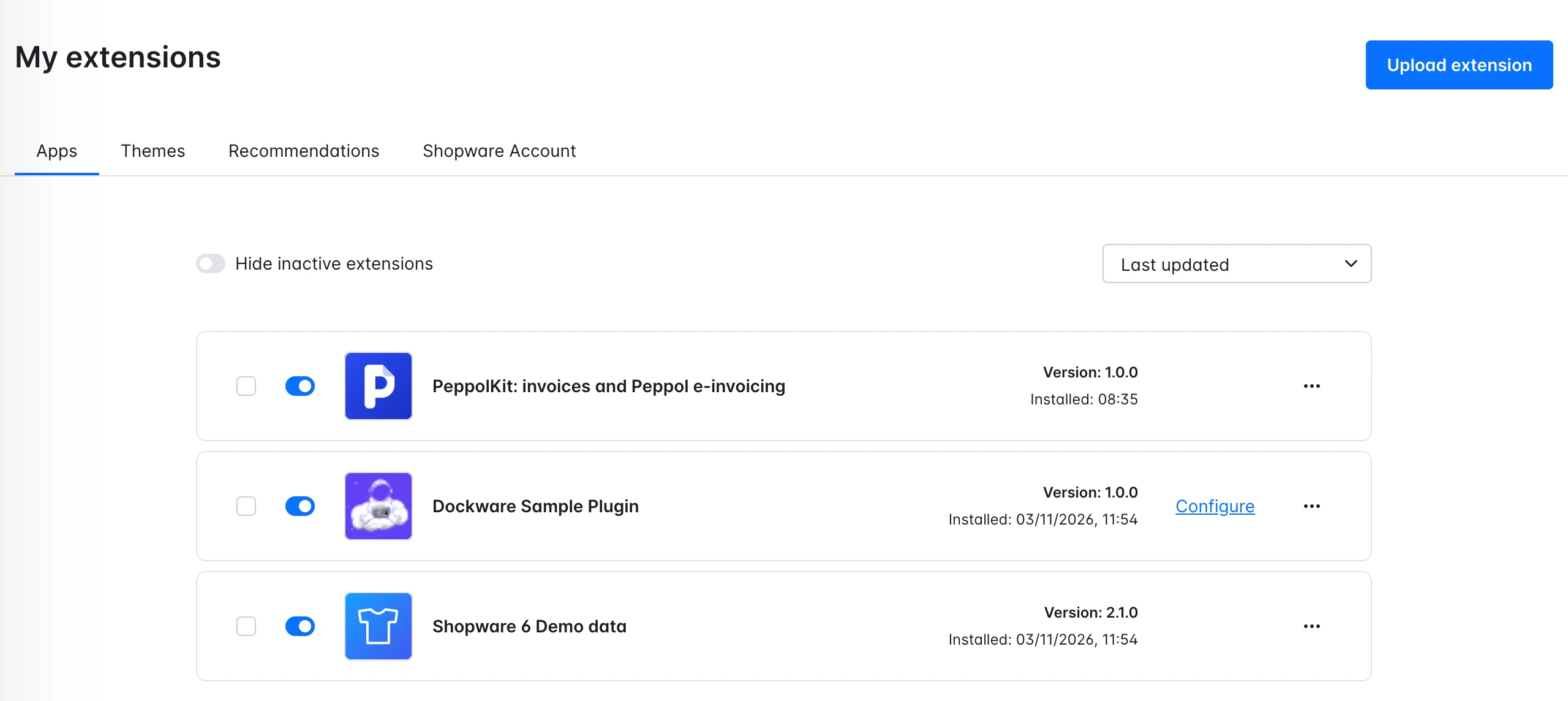
PeppolKit in My extensions, installed and switched on.
Connect
- Open PeppolKit. Click the three dots next to PeppolKit and choose Open extension. Your shop is already connected; there is no separate account to make. The account is free up to 20 invoices a month and asks for no payment details.
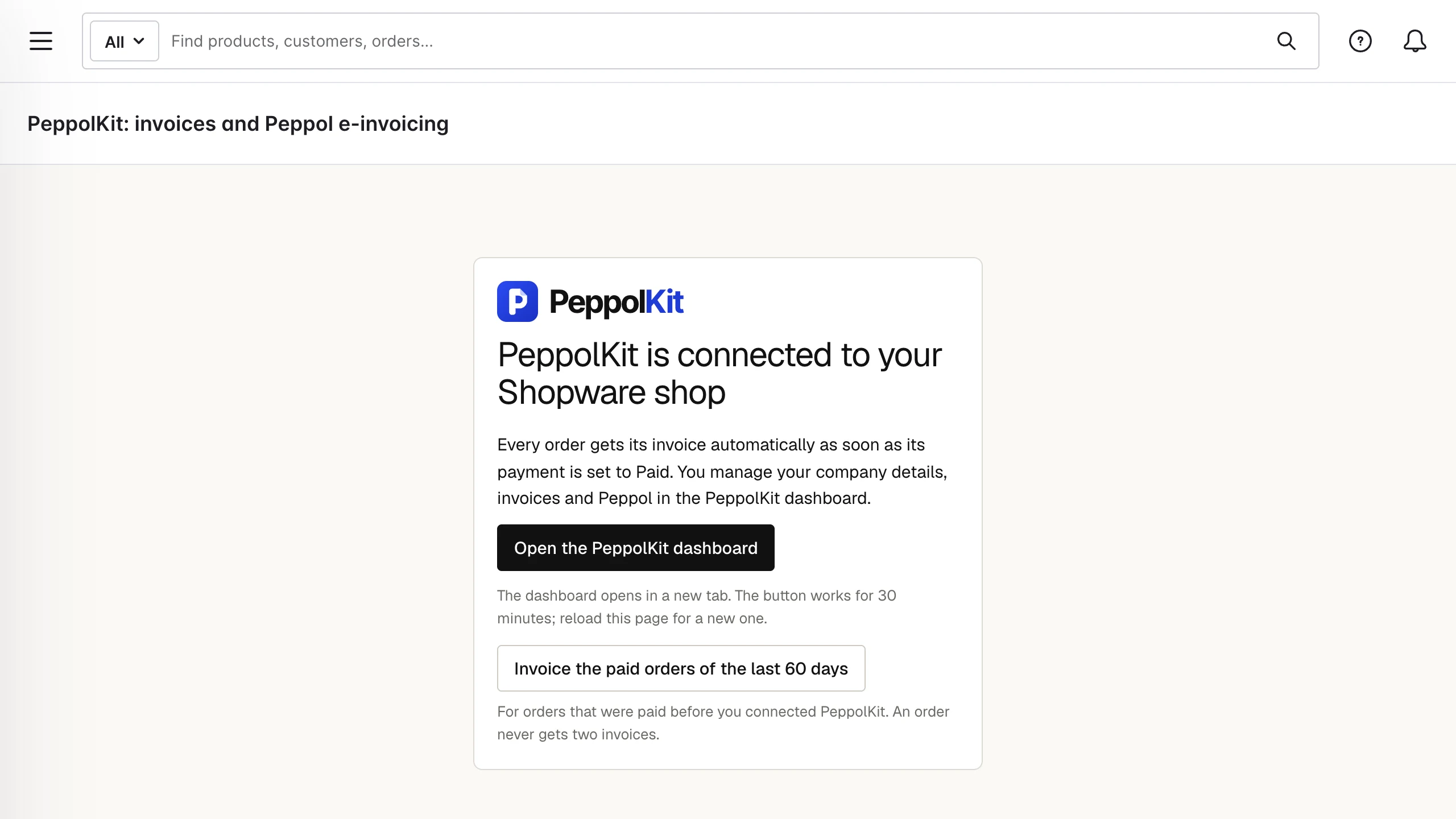
The PeppolKit page in the Shopware admin. - Fill in your company details. Click Open the PeppolKit dashboard. The dashboard opens in a new tab and you are signed in at once. Under Settings, fill in your company name, address, VAT number and company registration number and save. As long as those are missing, PeppolKit makes no invoices. The button works for 30 minutes; reload the page for a new one.
When is an invoice or credit note made?
- Invoice: as soon as the payment of an order gets the status Paid, also when you set that status yourself in the admin. Shopware passes it on through its message queue; the invoice usually follows within a minute.
- Amounts: a promotion or discount code is shown as a discount on the product lines, shipping is a line of its own. Prices with and without VAT both work, so customer groups with net prices too.
- Credit note: when you set the payment to Refunded, PeppolKit makes a credit note for the whole order. With Refunded (partially) Shopware keeps no amount and no credit note is made.
VAT numbers of business customers
Shopware asks business customers for their VAT number once customers can choose between private and company. Switch that on under Settings → Log-in & sign-up, with Show selection between company and private customer. PeppolKit reads the number, checks it with VIES and applies reverse charge on the invoice for a valid number from another EU country.
Activate Peppol
In the dashboard, Settings → Peppol says how your shop sends. Belgian shop? Confirm your company's identity there once, in about 5 minutes; Peppol is then included in every plan. Dutch shop? Connect your own free Peppyrus account, see Create a Peppyrus account.
Earlier orders and your first test
The button Invoice the paid orders of the last 60 days makes invoices for orders that were paid before you connected. An order never gets two invoices. Want to test first? Place a test order, mark it as paid and look in the dashboard under Invoices: the invoice is there as a PDF and as a UBL file.
Frequently asked questions
No invoice arrives. What now?
Check that the order's payment is set to Paid and that your company details are saved in the dashboard. If the invoice still does not come, check that Shopware's message queue is running (the admin worker or bin/console messenger:consume) and that your shop can be reached from the internet. More causes are in Fix an invoice problem.
Does it work with Shopware Cloud?
That has not been tested. PeppolKit is built as an app, the form Shopware Cloud uses too, but it has only been tested on a self-hosted Shopware 6.7.
How do I remove the app?
Uninstall the app under Extensions → My extensions (the three dots → Uninstall). That disconnects your shop from PeppolKit. Your invoices stay in your PeppolKit dashboard for 30 days.
PeppolKit by platform: Shopify, WooCommerce, PrestaShop, Magento, Drupal Commerce, OpenCart, Shopware, Joomla, bol.com, Lightspeed, CCV Shop, Wix and Stripe. See how it works for your webshop.
Leave Peppol to PeppolKit.
Install PeppolKit and your business customers get their invoice over Peppol, without you having to deal with the network.
Choose your platform Start free with 20 invoices a month.An explanation for orientation, not tax advice.